
Dynamics 365 AI: Extend, Don’t Duplicate
Too many Dynamics 365 AI projects fail to deliver because they attempt to recreate functionality already built into the platform.
Why Many Dynamics 365 AI Projects Fail to Deliver
The allure of artificial intelligence is strong, and Microsoft Dynamics 365 offers a wealth of opportunities for leveraging AI within business processes. However, many organisations fall into the trap of designing custom solutions when existing capabilities – often overlooked or underutilised – can achieve similar results with far less effort and risk. This duplication leads to increased development costs, maintenance overhead, and potential conflicts with future Dynamics 365 updates.
One common mistake is a lack of thorough exploration of available features. Teams frequently jump straight to custom agent design without first investigating what’s already provided by Microsoft through Copilot, prebuilt agents in Business Central, Sales, Field Service, and Finance & Supply Chain Management, or even the Power Platform. This results in redundant functionality that adds complexity and increases the overall cost of ownership.
Furthermore, custom AI solutions often lack the inherent governance and security controls built into Dynamics 365’s core processes. Developing bespoke agents outside of Microsoft’s established framework can create vulnerabilities and make it difficult to maintain compliance with industry regulations.
Understanding Existing Dynamics 365 AI Capabilities
Dynamics 365 is increasingly infused with AI capabilities, many of which are accessible without requiring extensive coding or development expertise. Microsoft Copilot provides natural language interaction and data exploration across various modules, while prebuilt agents offer targeted assistance for specific tasks.
For example, Dynamics 365 Business Central includes the Sales Order Agent to automate email-based order capture and the Payables Agent to streamline vendor invoice processing. These agents use AI to extract information from emails, create draft documents, and route them through approval workflows – all within the secure confines of the Dynamics 365 environment.
Similarly, Dynamics 365 Sales offers AI-powered lead qualification and research tools, helping sales teams prioritise opportunities and personalise their outreach. These features leverage data from Dynamics 365 Sales and approved external sources to provide sellers with valuable context and insights.
Leveraging Business Central Agents: Sales Order and Payables Examples
The Sales Order Agent in Business Central exemplifies the power of extending, not duplicating. Instead of building a custom solution to process customer orders from email, organisations can leverage this prebuilt agent to automatically extract order details, create sales orders in Dynamics 365, and route them for approval. This significantly reduces manual data entry, minimises errors, and accelerates the order fulfillment cycle.
The Payables Agent provides a similar benefit for vendor invoice processing. It uses AI to read invoices received via email, extract key information such as supplier name, invoice number, amount due, and due date, and create draft bills in Dynamics 365. This streamlines the accounts payable process, reduces manual effort, and improves accuracy.
These agents are not static; they can be configured to meet specific business requirements and integrated with other Dynamics 365 modules and Power Platform components. The key is to understand their capabilities and leverage them as a foundation for more complex workflows rather than attempting to build from scratch.
Sales AI Assistants: Qualification and Research in Dynamics 365 Sales
In Dynamics 365 Sales, the Sales Qualification Agent helps teams focus on high-potential leads by automatically scoring inbound leads based on predefined criteria. This allows sales representatives to prioritise their efforts and allocate resources more effectively.
The Sales Research Agent provides sellers with instant access to relevant information about prospects and companies, including contact details, social media profiles, news articles, and competitor analysis. This empowers them to have more informed conversations and build stronger relationships.
Field Service Dispatching with Copilot and Scheduling Agents
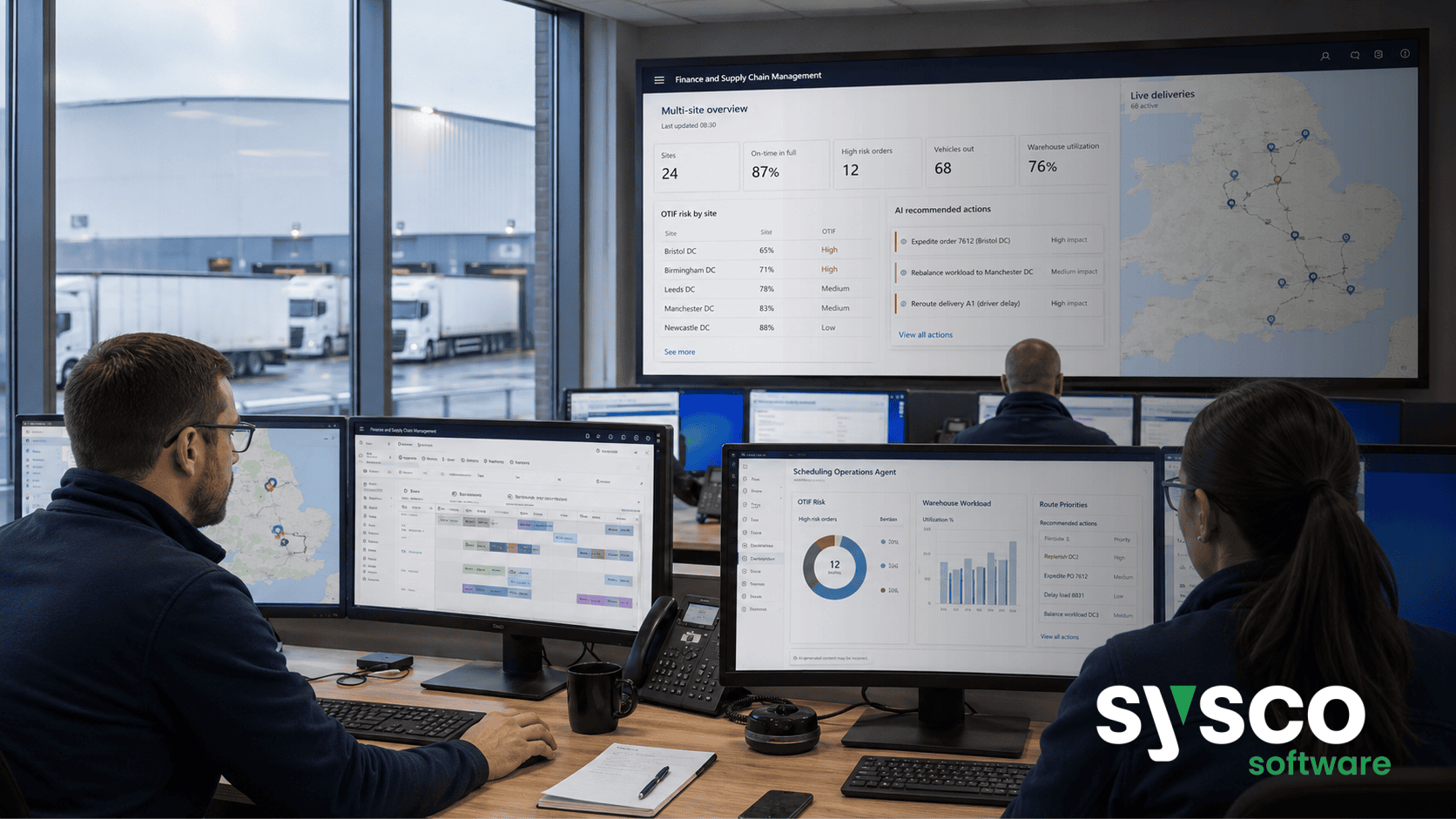
For organisations using Dynamics 365 Field Service, Microsoft Copilot offers a side-pane view of work orders, providing dispatchers and technicians with contextual information and insights. The Scheduling Operations Agent further enhances efficiency by optimising schedules and proactively identifying potential disruptions.
The interactive scheduling features allow for real-time adjustments based on technician availability, skill sets, and customer preferences, ensuring that the right person is dispatched to the right job at the right time. This reduces travel time, improves first-time fix rates, and enhances overall service quality.
Finance and Supply Chain: Agentic Assistance for Key Processes
Dynamics 365 Finance and Supply Chain Management also benefit from AI-powered assistance. The Account Reconciliation Agent automates the reconciliation process by matching bank statements with ledger entries and identifying discrepancies. This reduces manual effort, improves accuracy, and accelerates financial close.
The Procurement Agent streamlines supplier communication and change request management, ensuring that procurement processes are efficient and compliant. Copilot summaries provide a quick overview of key information related to products, vendors, purchase orders, and sales orders, enabling faster decision-making.
Building Custom Agents Strategically – When to Extend, Not Reinvent
While leveraging existing Dynamics 365 capabilities is the preferred approach, there are situations where custom agent development may be necessary. This should only be considered when
- Existing agents don’t fully address a specific business need.
- Integration with external systems requires bespoke logic.
- Unique data sources or workflows necessitate custom processing.
Even in these cases, it’s crucial to build upon the foundation provided by Dynamics 365 and Microsoft Copilot Studio, leveraging existing components and APIs whenever possible.
Governing Your Dynamics 365 AI Workflows for Compliance and Control
As with any AI implementation, governance is paramount. Organisations must establish clear guidelines for data access, agent permissions, approval workflows, and monitoring procedures to ensure compliance with regulatory requirements and protect sensitive business information. Microsoft’s Agent 365 approach prioritises trust-layer security, governance and compliance.
Regular audits of AI workflows are essential to identify potential risks and vulnerabilities. Sysco Software’s Agent Readiness and Governance Assessment service can help organisations establish a robust framework for managing their Dynamics 365 AI initiatives, ensuring that they deliver value while maintaining control and accountability.
To discover how Sysco Software can help you extend your existing Dynamics 365 capabilities with governed AI workflows,explore our Microsoft Dynamics 365 services.






